Next-Elite
Next Elite
An open source, frontend-focused and API-driven Next.js boilerplate/starter kit built for developer experience. It's designed to consume external backends (REST, GraphQL, or BFF) and gives you a polished starting point with pre-built authentication layouts, dashboard layouts, and 50+ custom & reusable UI components.
</p
🚀 Live Demo · 📦 Use this Template · 🐛 Report Bug · ✨ Request Feature
https://github.com/user-attachments/assets/519cc07b-7374-413f-b390-9a94f992b0f3
Next Elite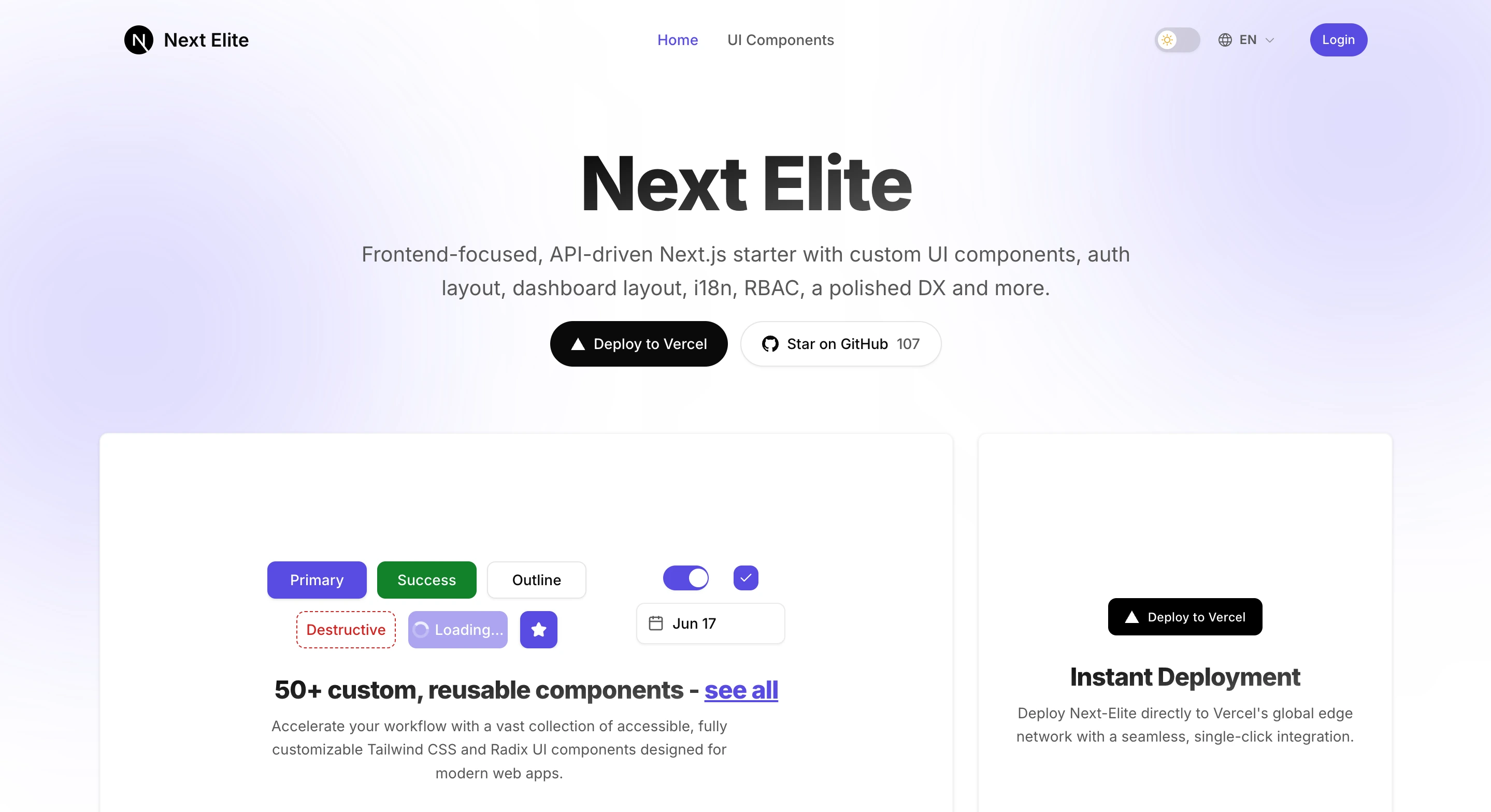
|
50+ Custom Components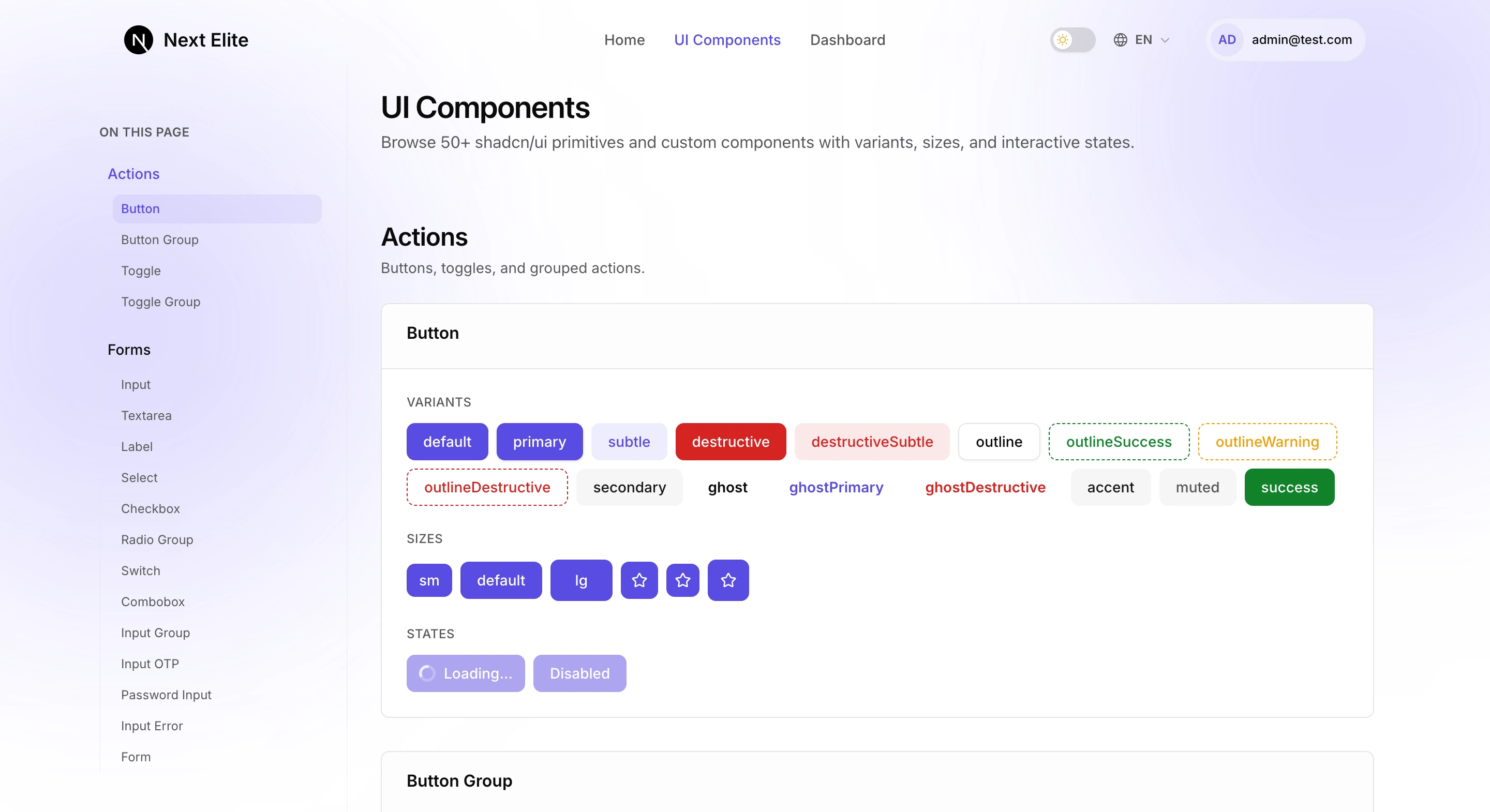
|
Auth Layouts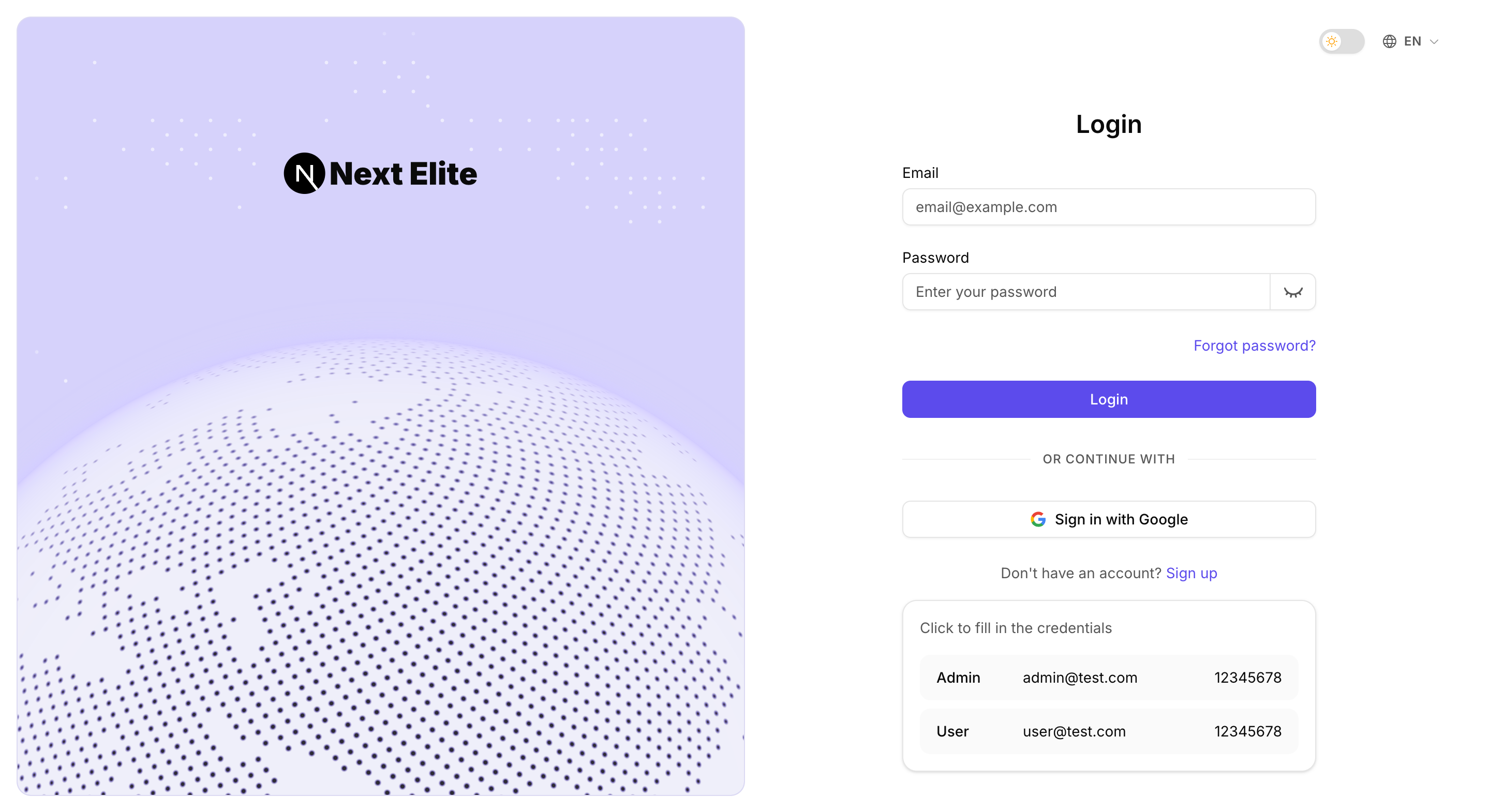
|
Dashboard Layouts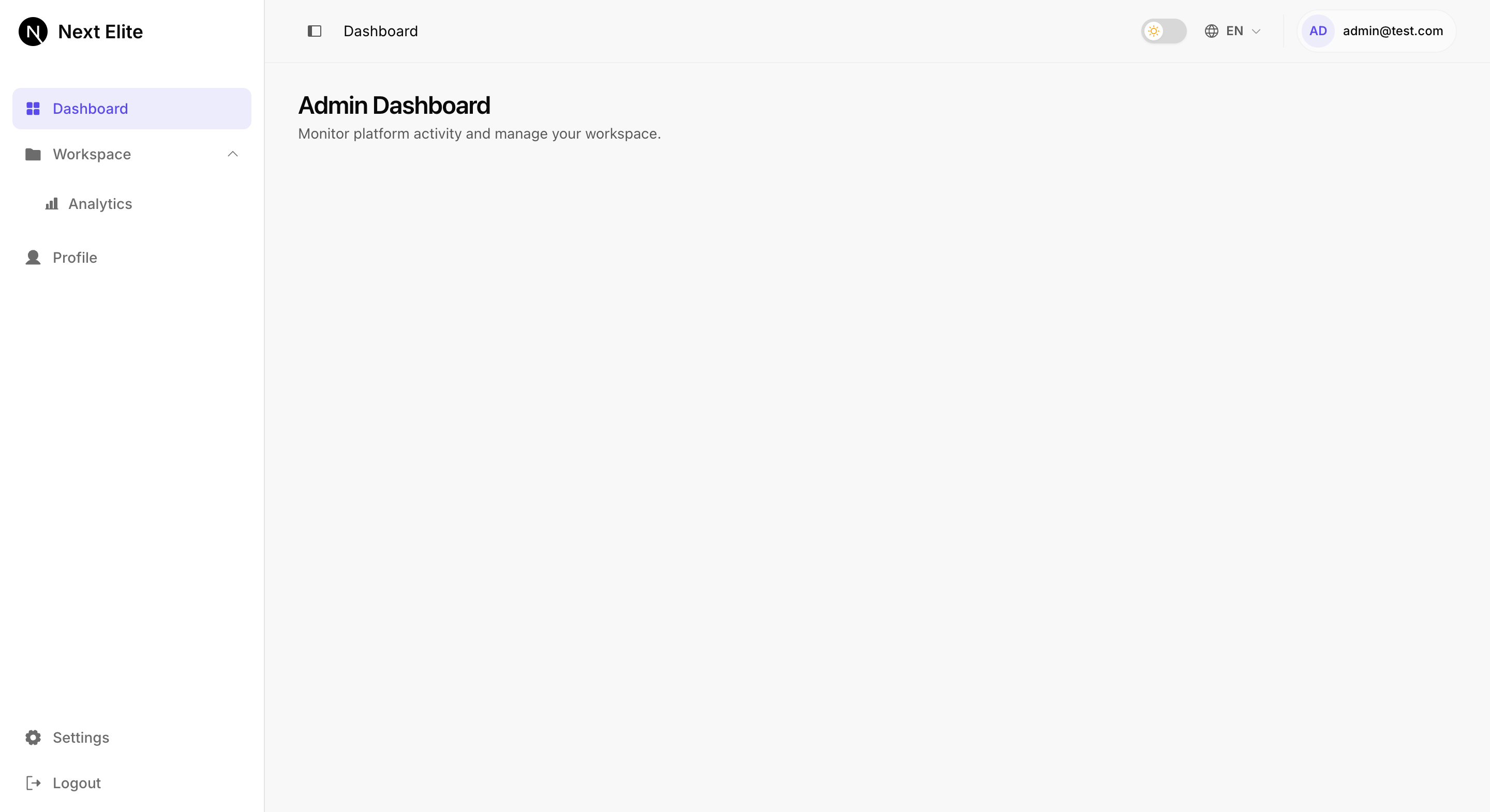
|
**Highlights & Features:** - ⚡ **Next.js 16.4 + React 19.3** - Fast App Router, Turbopack, and Server Actions - 🔥 **TypeScript 7** - End-to-end type safety across components and routes - ✨ **Oxlint + Oxfmt** - Blazing-fast linting & formatting with Lefthook pre-commit hooks - 🤖 **Next.js Best Practices** - Modular architecture, standalone Docker build, and performance optimizations - 🧠 **AI Agent Ready** - `AGENTS.md` and a `project-standards` skill keep AI coding agents on the project's conventions - 🔐 **Authentication & RBAC** - Email/Password & Google OAuth via BetterAuth with permission-based RBAC - 🖼️ **Auth & Dashboard Layouts** - Split-pane auth layout & role-based dashboard layout with fixed sidebar navigation - 🎨 **50+ Custom & Reusable UI Components** - Accessible shadcn/ui primitives built with Tailwind CSS v4 & Radix UI - 📚 **Type-Safe i18n** - Cookie-based multi-language support (6 locales, LTR + RTL) powered by next-intl - 📝 **SEO & PWA Suite** - OpenGraph metadata, dynamic sitemap, robots.txt, and web manifest - 🧪 **Comprehensive Testing** - Unit/component testing with Vitest and E2E testing with Playwright - 🚀 **[Next Elite Server](https://github.com/salmanshahriar/Next-Elite-Server) (Coming Soon)** - Companion backend built with NestJS, BetterAuth, Drizzle ORM, PostgreSQL, and Multi-tenancy
## 🚀 One-click Deploy to Vercel [](https://vercel.com/new/clone?repository-url=https://github.com/salmanshahriar/Next-Elite) Set environment variables from `.env.example` in Vercel project settings.
## 💻 Tech Stack + Details ### Frameworks & Core - **Next.js 16.4 (App Router)** - Fast, modern React framework with Turbopack, standalone output for Docker/self-hosting, and full support for React 19.3 features (Server/Client components, Server Actions). - **TypeScript 7** - End-to-end type safety for rock-solid refactoring and developer experience. - **Node.js 22.12+** - Built on the Node.js 22 LTS runtime. - **Feature-Based Architecture** - Structured around self-contained vertical slices/feature folders under `src/features/` for maximum modularity and clean separation of concerns. ### Authentication & Access Control - **BetterAuth** - Out-of-the-box email/password and Google OAuth authentication using `/api/auth/*` route handlers. Configure admin emails via the comma-separated `AUTH_ADMIN_EMAILS` server variable. - **Auth UI & Layout** - Split-pane authentication pages with custom WebGL particle background animation, and a topbar with theme toggle and language switcher. - **Role-Based Access Control (RBAC)** - Flexible RBAC (`user` and `admin` roles) with server-side guards (`requireUser`, `requirePermission`) and parallel route slots (`@admin`, `@user`) for role-agnostic routing. - **Dashboard & Navigation** - Modern sidebar navigation with fixed bottom Settings (`/settings`) and Logout actions, collapsible state, mobile sheet, and topbar breadcrumbs. ### Internationalization (i18n) - **next-intl** - Type-safe, cookie-based localizations (no URL prefix) with support for English, বাংলা, العربية (RTL), Français, Español, and 简体中文. Translation keys are type-checked (`t("key")` works; typos fail compile-time). ### UI & Styling - **Tailwind CSS 4** - Utility-first styling with `@tailwindcss/postcss` and `tw-animate-css`. - **Design Tokens** - Light and dark color, radius, and spacing tokens in `src/app/styles/tokens.css`, mapped to Tailwind utilities (no hard-coded colors). - **shadcn/ui** - Highly customizable UI components built with Tailwind CSS, Radix UI, and CVA. - **Theme Support** - Easy light/dark mode transitions via theme toggle. ### API & Data Fetching - **TanStack Query (React Query)** - Pre-configured `QueryClientProvider` in `src/app/providers.tsx` with sensible defaults (`staleTime`, `gcTime`, retry). Ready to wire `useQuery` / `useMutation` hooks to your REST, GraphQL, or BFF endpoints. - **Next Elite Server (Coming Soon)** - Dedicated companion backend template powered by **NestJS**, **BetterAuth**, **Drizzle ORM**, and **PostgreSQL**. ### Observability & Infrastructure - **Sentry Integration** - Error tracking and performance instrumentation for client and server. The browser SDK loads lazily and only when `NEXT_PUBLIC_SENTRY_DSN` is set, so it never blocks the first page load. - **Vercel Analytics** - Page analytics via `@vercel/analytics`, rendered only when deployed on Vercel. - **Health Probes** - Direct `GET /api/health` endpoint for load balancers. ### Quality Gates & Tooling - **Validated Config** - Env vars are validated on the server with T3 Env (`src/libs/env.ts`), and `site.config.json` is checked against its schema in unit tests, so neither ships zod to the browser. - **Hygiene & Linting** - [Oxlint](https://oxc.rs/docs/guide/usage/linter) and [Oxfmt](https://oxc.rs/docs/guide/usage/formatter) for fast linting and formatting, plus Knip for dead code/dependency hygiene. - **Testing Suite** - Unit/component testing with Vitest and React Testing Library, and E2E testing with Playwright. - **Git Hook Automation** - Lefthook pre-commit hooks (oxlint + oxfmt), Commitlint for conventional commits, and a pre-push hook that runs `npm run check`.
## 📈 Lighthouse Report
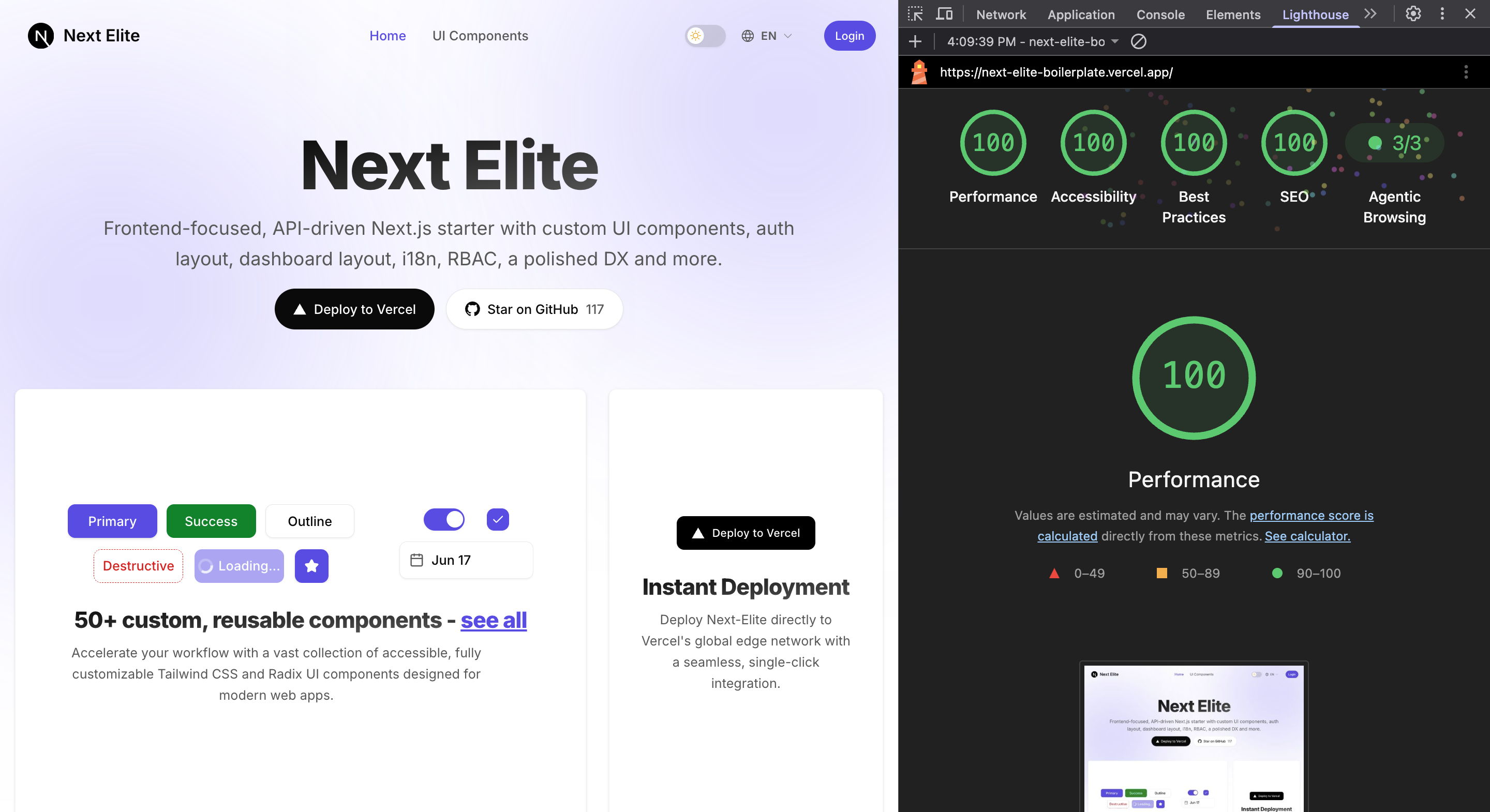
## ⚡ Quick Start ### Prerequisites - Node.js **22.12** or later - **npm** ### Local Setup 1. Clone the repository and navigate into it: ```bash git clone https://github.com/salmanshahriar/Next-Elite.git cd Next-Elite ``` 2. Install dependencies: ```bash npm install ``` 3. Set up your environment variables: ```bash cp .env.example .env ``` 4. Start the development server: ```bash npm run dev ``` Open [http://localhost:6767](http://localhost:6767) to view your local instance. ### Demo Credentials When `NEXT_PUBLIC_DEMO_MODE=true` is enabled, the login screen includes a quick-fill panel with these seed credentials: | Role | Email | Password | | ----- | ---------------- | ---------- | | User | `user@test.com` | `12345678` | | Admin | `admin@test.com` | `12345678` | > [!NOTE] > For production deployments, set `NEXT_PUBLIC_DEMO_MODE=false`. ### Removing the Demo Code All demo code (landing page, `/ui-components` showcase, promo logos, demo accounts) lives in `src/_demo(DELETE)/`. When you're ready to build your own app, run: ```bash npm run demo:remove npm run check ``` ### Docker & Production Containerization The production setup uses a multi-stage **Google Distroless** base image (`gcr.io/distroless/nodejs22-debian12`) for maximum security, zero unnecessary OS packages, and minimal image size. #### Quick Start with Docker Run the application locally via Docker: ```bash cp .env.example .env docker build -t next-elite . docker run --rm --env-file .env -p 6767:6767 next-elite ``` Or using Docker Compose: ```bash docker compose up --build ``` #### Multi-Arch Deploy (ARM64 + AMD64) ```bash docker buildx create --name multiarch --use # one-time setup docker buildx build --platform linux/amd64,linux/arm64 -t next-elite . ``` This is ideal for self-hosting on ARM servers (Oracle Cloud, Raspberry Pi, AWS Graviton, etc.). #### Dokploy Deployment This template is ready for [Dokploy](https://dokploy.com) - the open-source PaaS.
## 🧩 Architecture Overview The big picture: a page is rendered on the server, auth/role is checked there, and any live data is fetched on the client. ```mermaid flowchart TB User([User]) --> Page subgraph Server["Server (runs first)"] Page[Page / Layout] Guard["requireUser() / requirePermission()"] Page --> Guard Guard -->|reads session + role| Auth[BetterAuth] end subgraph Client["Client (runs in browser)"] Hook["useQuery (TanStack Query)"] Hook -->|fetch| Api["Your backend API"] end Page -->|sends HTML| User Page -.->|interactive parts| Hook classDef userNode fill:#ecfdf5,stroke:#10b981,stroke-width:2px,color:#064e3b; classDef serverNode fill:#f8fafc,stroke:#64748b,stroke-width:2px,color:#334155; classDef securityNode fill:#fef2f2,stroke:#ef4444,stroke-width:2px,color:#7f1d1d; classDef authNode fill:#fffbeb,stroke:#f59e0b,stroke-width:2px,color:#78350f; classDef hookNode fill:#eff6ff,stroke:#3b82f6,stroke-width:2px,color:#1e3a8a; classDef apiNode fill:#fdf4ff,stroke:#d946ef,stroke-width:2px,color:#701a75; class User userNode; class Page serverNode; class Guard securityNode; class Auth authNode; class Hook hookNode; class Api apiNode; style Server fill:none,stroke:#cbd5e1,stroke-width:1px style Client fill:none,stroke:#cbd5e1,stroke-width:1px ``` **How a request flows:** 1. **User opens a page** - the Server Component renders first. 2. **Auth + role check** - `requireUser()` / `requirePermission()` read the BetterAuth session and redirect to `/login` or `/unauthorized` if needed. 3. **HTML is sent** to the browser; translations come from `messages/` via `next-intl`. 4. **Live data** (lists, forms, etc.) is fetched on the client with TanStack Query → your API (REST/GraphQL/BFF).
View Auth & RBAC Usage
```ts // Server Component example import { requirePermission } from '@/features/auth/rbac/require'; import { getTranslations } from 'next-intl/server'; const AdminDashboardPage = async () => { const [, t] = await Promise.all([ requirePermission('dashboard.view:admin'), getTranslations('dashboard.admin'), ]); return{t('title')}
; }; export default AdminDashboardPage; ```View Forms Usage (React Hook Form + Zod)
```tsx 'use client'; import { zodResolver } from '@hookform/resolvers/zod'; import { useForm } from 'react-hook-form'; import { loginSchema, type LoginInput } from '@/features/auth/schemas/login'; const form = useForm## 🗂️ Project Structure ``` . ├── .github/ │ ├── workflows/ CI: check.yml (incl. demo removal) + playwright.yml │ ├── dependabot.yml Dependency updates │ └── renovate.json Dependency updates ├── .claude/skills/ project-standards skill for AI coding agents ├── config/ Vitest, Playwright, and Knip configs ├── e2e/ Playwright specs ├── messages/ next-intl translations (en, bn, ar, fr, es, zh) ├── public/ Static assets + llms.txt ├── scripts/ remove-demo.mjs (npm run demo:remove) ├── components.json ├── .oxlintrc.json Oxlint rules (Next.js, TypeScript, React, Unicorn) ├── .oxfmtrc.json Oxfmt formatter config (Tailwind class sorting) ├── next.config.mjs ├── package.json scripts + Commitlint config ├── package-lock.json ├── tsconfig.json ├── lefthook.yml Git hooks (pre-commit, commit-msg, pre-push) ├── AGENTS.md Rules for AI coding agents ├── src/ │ ├── _demo(DELETE)/ Landing page, showcase, demo accounts (delete for your app) │ ├── app/ App Router │ │ ├── (auth)/ Auth layouts (Login, register, & reset-password pages) │ │ ├── (public)/ Public layouts │ │ ├── (protected)/ Protected/RBAC layouts │ │ │ ├── @admin/ Admin slots (dashboard, analytics, profile, settings) │ │ │ ├── @user/ User slots (dashboard, analytics, profile, settings) │ │ │ └── layout.tsx │ │ ├── api/ Route handlers (BetterAuth, health) │ │ ├── styles/ Design system tokens, base CSS │ │ ├── fonts.ts Typography configuration │ │ ├── layout.tsx Root layout, SEO, fonts, providers │ │ ├── providers.tsx Theme + Auth + TanStack Query │ │ ├── manifest.ts │ │ ├── robots.ts │ │ └── sitemap.ts │ ├── components/ │ │ ├── auth/ Auth forms │ │ ├── icons/ Centralized SVG icon components & barrel export │ │ ├── layout/ App shell, navigation sidebars, topbar & branding │ │ ├── shared/ Shared UI's │ │ └── ui/ Shadcn UI's components │ ├── features/ Feature modules │ │ ├── auth/ BetterAuth + RBAC modules │ │ ├── i18n/ next-intl configuration │ │ └── site/ site config, schema, base URL + locale utilities │ ├── hooks/ Shared React hooks │ ├── libs/ Cross-cutting infra │ ├── tests/ Unit/component tests + renderWithProviders │ ├── instrumentation.ts Server Sentry init │ ├── instrumentation-client.ts Client Sentry init │ └── global.d.ts next-intl type augmentation └── ... ```
## ⚙️ Configuration ### Environment variables Every variable is documented in [`.env.example`](.env.example) and validated by `src/libs/env.ts` (T3 Env). ### Site & SEO configuration [`src/features/site/site.config.json`](/Next-Elite/src/features/site/site.config.json) is the central place for SEO metadata, dynamic sitemaps, localized routes, and PWA manifest: ```json { "appName": "Next Elite", "domain": "https://yourdomain.com", "tagline": "Frontend-first, API-driven, batteries included.", "title": "Next Elite - Production-Ready SaaS Boilerplate", "description": "Frontend-first Next.js 16.4 + React 19 boilerplate with i18n, RBAC and BetterAuth." } ```
Adding a Language
1. Add the locale code to `languages.supported` in `site.config.json` and add an entry under `languages.locales`. 2. Create `messages/Adding a Role
1. Append the role to the `UserRole` union in `src/features/auth/rbac/permissions.ts`. 2. Map permissions for the role in `ROLE_PERMISSIONS` in the same file. 3. Optional: add a parallel route slot - `src/app/(protected)/@## 🧪 Development & Testing View Available Scripts | Command | Description | | --------------------------------- | ---------------------------------------- | | `npm run dev` | Start the dev server (port 6767) | | `npm run build` | Production build | | `npm run start` | Start the production server (port 6767) | | `npm run start:standalone` | Run standalone server (Playwright CI) | | `npm run analyze` | Build with `@next/bundle-analyzer` | | `npm run typecheck` | `tsc --noEmit` | | `npm run lint` | Oxlint + Oxfmt check | | `npm run lint:fix` | Auto-fix with Oxlint + Oxfmt | | `npm run format` | Format with Oxfmt | | `npm run format:check` | Check formatting with Oxfmt | | `npm run knip` | Detect unused files / exports / deps | | `npm run check` | CI gate: typecheck + lint + knip + tests | | `npm run test` | Vitest run | | `npm run test:watch` | Vitest watch mode | | `npm run playwright:install` | Download Playwright browsers | | `npm run playwright:install:deps` | Install OS libs for browsers (Linux) | | `npm run e2e` | Playwright E2E | | `npm run e2e:ui` | Playwright UI mode | | `npm run e2e:webkit` | Playwright WebKit only | </details>
Editor Setup
Install the [Oxc VS Code extension](https://marketplace.visualstudio.com/items?itemName=oxc.oxc-vscode) (`oxc.oxc-vscode`) for format-on-save and Oxlint fix-on-save. Project settings in `.vscode/settings.json` are preconfigured.Testing Details
- **Unit / component:** Vitest + React Testing Library (`config/vitest.config.ts`). Tests live in `src/tests/`, mirroring the `src/` folder structure (`*.test.ts` / `*.test.tsx`). Use `renderWithProviders` from `@/tests/render` for components that need app context (i18n, theme, auth, React Query). Plain `render` is fine for isolated UI primitives. - **End-to-end:** Playwright in `e2e/` on port **6767** (`127.0.0.1`). Local runs use `next dev` (all browsers); CI uses production `next start` (Chromium only). Run `playwright:install` before the first E2E run; on Linux, WebKit needs `playwright:install:deps` (sudo). Stop `npm run dev` before `npm run e2e` - E2E starts its own server.CI/CD Pipeline
- `.github/workflows/check.yml` - typecheck → lint → knip → unit tests → build, on every push and PR. - `.github/workflows/playwright.yml` - build → Playwright E2E (Chromium, production server). - `.github/renovate.json` - groups non-major dependency updates and automerges patches.## 🎯 When to Use Next Elite is best for: - SaaS apps with multiple user roles. - Multi-lingual/Internationalized products (LTR + RTL). - Frontends consuming an existing backend or BFF. - Projects requiring a clean, feature-based modular structure. It is probably overkill for: - Single-page landing sites. - Apps that need a tightly-coupled DB layer (API-only design).
## 🤝 Contributing Contributions to **Next-Elite** are welcome. 1. Fork the repository and create a branch from `main`. 2. Use clear branch names such as `feat/...`, `fix/...`, or `docs/...`. 3. Run `npm run check` before submitting your changes. 4. Follow **Conventional Commits**. 5. Open a Pull Request with a clear description of your changes.
## 📜 License MIT [LICENSE](/Next-Elite/LICENSE)
## ⭐ Support Next-Elite If you find **Next-Elite** useful, consider giving it a ⭐ **[Star on GitHub](https://github.com/salmanshahriar/Next-Elite)**. Thanks for reading!